
Weather-Triggered Landing Pages for Roofers
Build storm-ready pages before severe weather hits, hold them indexed, and let them surface the moment a region's roofing demand spikes after a hail, wind, or hurricane event.
Free Storm-Page Readiness Audit
Most roofing sites have no storm pages indexed when severe weather arrives. Get a free audit of your readiness with a competitor comparison and a build plan for your top event and city pairings.
What Is a Weather-Triggered Landing Page?
A weather-triggered landing page is a dedicated roofing page built to rank for one weather event combined with one city, created and indexed before the storm season so it can surface the instant local search demand spikes.
Event and City Targeting
Each page targets a single event type, such as hail or hurricane damage, paired with one service-area city, so the match is exact when a homeowner searches.
Pre-Built and Pre-Indexed
The page is published and submitted to Google before the season opens, so it is already ranked when the first storm hits and the surge begins.
A Seasonal Asset, Not an Intent Page
This silo covers the timing and preparation. The homeowner-facing storm and emergency copy lives in search intent for roofers.
Why Build the Page Before the Storm?
You build before the storm because a new page needs weeks to index and rank, and the demand surge after a weather event lasts only days. A page started after the storm hits arrives too late to capture the spike.
Indexing Takes Time the Surge Does Not Give
- A fresh page can take days to weeks before Google ranks it for a competitive local query.
- The peak conversion window after a storm runs roughly 48 hours, then urgency declines.
- A page already indexed surfaces as volume rises, while a brand-new one is still being crawled.
Preparation Beats Reaction
- Build the first wave at least 90 days before your region's primary storm season.
- The roofers who capture the spike prepared months ahead, not the night of the event.
- Pair the page with local prominence work in local SEO for roofers so the map pack moves too.
How Does Search Behavior Move Through a Storm?
Search intent shifts in four phases around a weather event: broad research before, damage queries during, urgent transactional searches in the first 48 hours, and claims-and-scheduling searches after.
Pre-Storm and During
- Pre-storm: broad searches like roofing costs and how to prepare a roof for a storm.
- During the storm: damage information queries while the event is still happening.
- This is the window to confirm pages are indexed, not the window to start building.
The 48 and 72 Hour Windows
- 0 to 48 hours: transactional and urgent searches such as emergency roofer near me.
- 48 to 72 hours: the shift toward insurance claims and scheduled repairs.
- Your pre-indexed pages should already be surfacing across both of these windows.
Be Ranked When the Storm Hits
The surge after a weather event lasts days, not weeks. We build and index your storm pages ahead of the season so the demand spike finds you on page one instead of a competitor.
Call Now For PricingOr call +1 272-207-3231
When Should You Build for Each Region?
Map your build calendar to your region's storm window, then start the pages at least 90 days ahead of it. Each climate zone peaks at a different time, so the preparation date moves with it.
Regional Storm Windows
- Midwest and Plains: hail season peaks April through June.
- Gulf Coast: hurricane and heavy rain season runs June through November.
- Southeast: severe thunderstorm season runs March through September.
- Northeast: wind and ice storm season runs October through March.
- Southwest: monsoon and wind event season runs July through September.
Count Back 90 Days
If your hail season opens in April, the page builds begin in January, which leaves time for Google to index and rank them before the first severe storm of the year arrives.
What Goes Above the Fold on a Storm Page?
The top of the page carries a city-specific event headline, a tappable call button, trust badges, and clear service-area coverage, all visible without scrolling on a phone.
City and Event Headline
A headline naming the city and the event, such as a hail damage roof repair line for that exact metro, so the homeowner reads an instant match.
A Tappable Call Button
A large click-to-call button at least 44 pixels tall, spanning the full width on a phone, so a homeowner can dial with one thumb.
Trust and Coverage
Licensed and insured badges and the service area, named down to neighborhoods or zip codes, so coverage is clear before the scroll.
How Should the Rest of the Page Be Built?
Below the fold, the page carries storm-specific proof in the middle and a short conversion path at the bottom, with every section built for a single focused call to action.
Mid-Page Proof
- Reviews that specifically mention storm and damage work, not generic praise.
- Before and after images from real repairs after a weather event.
- A line on insurance claim assistance, since most storm jobs run through a claim.
Bottom of Page
- A contact form with no more than three fields, so a stressed homeowner finishes it.
- Licensing information stated plainly to confirm the company is legitimate.
- One service guarantee, kept simple, paired with a single focused call to action.
Why Does Mobile Speed Decide the Outcome?
Storm searches happen on phones during a stressful moment, so the page must load in under three seconds on a 4G connection and be designed for thumbs, not a mouse cursor.
Under Three Seconds
Aim for a load time under three seconds on a 4G connection. A slow page loses the homeowner before the call button appears.
Thumb-Sized Targets
The call button should be at minimum 44 pixels tall and span the full width, so a homeowner taps it on the first try.
Design for Thumbs
Lay out the page for one-handed use on a phone. Most storm-damage traffic arrives on mobile, not desktop, so design for that first.
A Single Storm Job Can Be Worth Thousands
Storm restoration work ranges from several thousand to tens of thousands of dollars per job. A page that captures even a share of the surge pays back the preparation many times over.
Call Now For PricingOr call +1 272-207-3231
How Do Organic Pages and PPC Work Together?
Pair the pre-indexed pages with pre-built Google Ads campaigns and a Google Business Profile post, all staged before the season and activated the moment a storm hits.
Stage the Channels Early
- Pre-build Google Ads campaigns on storm-specific keywords, paused, before the season.
- Draft the Google Business Profile post so it can publish immediately after an event.
- Confirm the landing pages are indexed so they begin surfacing as volume spikes.
Flip Them On Together
When the storm hits, activate the paused ads, publish the profile post, and let the organic pages rise. The three channels cover the surge from the first hour through the claims window. For getting fresh pages crawled fast, see rapid indexing strategies.
What Kills Conversions on Storm Pages?
Storm pages lose calls through a recurring set of mistakes, and each one traces back to building late or building generic instead of event and city specific.
Timing and Targeting Errors
- Building pages after storms hit, when there is no time left to index.
- Using generic messaging instead of storm-specific and city-specific content.
- One generic page for an entire metro instead of a page per city and event.
Speed and Conversion Errors
- Ignoring page speed and mobile performance during a phone-driven surge.
- Weak or hidden contact options that bury the call button.
- Failing to address insurance claims, which most storm jobs depend on.
How Do You Plan the Keywords for Each Page?
Build each page around one primary event-and-city phrase, supported by secondary storm terms and local modifiers. One page answers one search, so the targeting stays tight.
Primary and Secondary Terms
- Primary terms cover storm roofing landing pages and emergency roof repair near me.
- Secondary terms cover hail damage roof repair and storm restoration intent.
- Keep one primary phrase per page so the page reads as a single answer.
Local Modifiers
Build patterns like a hail damage roof repair phrase for one city, an emergency roofer phrase for one city, and a roof inspection after storm phrase for one city. The city makes each page distinct.
How Do These Pages Fit the Seasonal Silo?
Weather-triggered pages are the build layer of the seasonal strategy, sitting between the season-wide planning and the event-specific guides. Each related page covers one part of the same surge.
Plan the Season First
Set the calendar and the broad approach in seasonal roofing SEO, then map each event with storm season SEO before you build the pages.
Build by Event Type
Match the page to the event with hailstorm SEO, hurricane SEO, and winter roof damage SEO, then back it with emergency response SEO and insurance claim content.
Proof of Performance
Results from roofing campaigns that rank in local search.
Map Pack Rankings
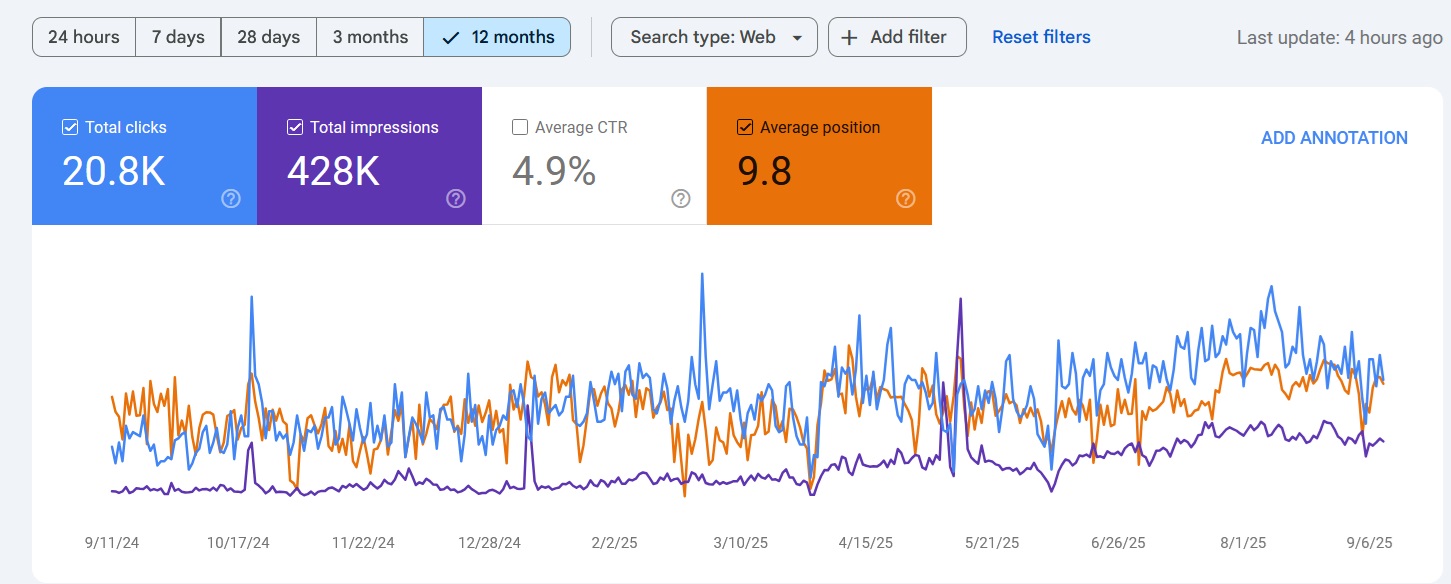
Ranked in Local Search Within 90 Days
Review Velocity
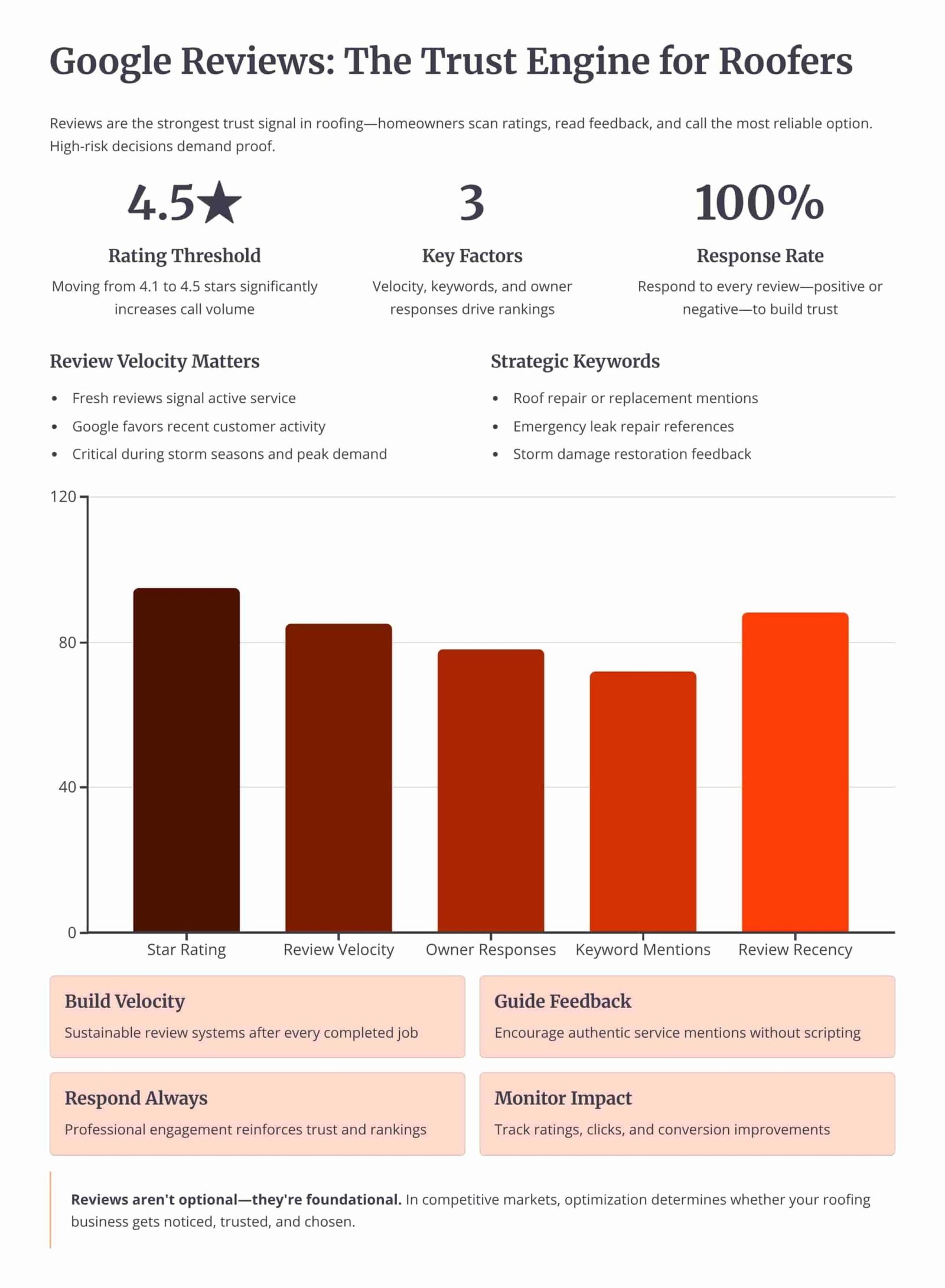
150+ 5-Star Reviews Generated
Organic Traffic
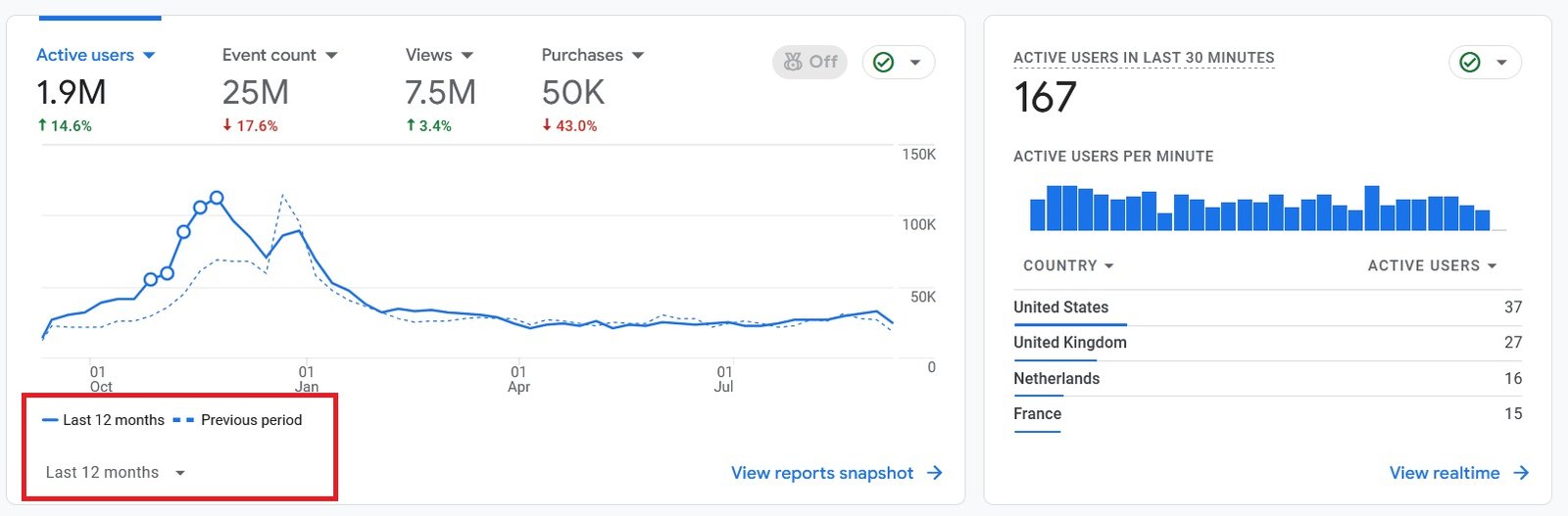
300% Increase in Qualified Traffic
What Roofers Say
The Storm-Page Build Roadmap
See how we identify the events, build the pages, link them, and keep them current across a season-long engagement.
Month 1: Events and Cities
- Event Selection: Identifying the top three storm event types and the top five service-area cities for the season.
- Calendar Mapping: Counting back 90 days from the region's storm window to set the build start date.
Month 2: First Wave of Pages
- One Page Per Pairing: Building the first storm pages, one per city and event-type combination, each with its own primary phrase.
- Index Submission: Submitting each page so Google crawls and ranks it well before the season opens.
Month 3: Internal Links and Channels
- Internal Linking: Building links from existing service pages and blog content into the new storm pages.
- Channel Staging: Pre-building paused Google Ads campaigns and drafting the profile post for activation on event day.
Ongoing: Update After Each Event
- Event References: After each storm, updating pages with references to the specific event to keep them current.
- Surge Tracking: Measuring calls and form fills against each event so the next season's build targets the strongest pairings.
Owning Storm Demand vs Renting It From Lead Platforms
If you pay Angi or Google Ads, you are renting visibility. The moment you stop paying, your pipeline dries up. Ranking pre-built storm pages for high-intent local searches builds permanent digital equity that compounds across seasons.
Shared Lead Platforms (Angi, HomeAdvisor)
- The Race to the Bottom: Shared storm leads force you to slash prices to win against 5 other roofers.
- Price Spikes in Storms: Lead costs jump exactly when demand peaks, eating the margin on every job.
Pre-Built Storm Pages (Our Approach)
- 100% exclusive, direct-to-you inbound calls.
- Ready to rank before the season, not built after it.
- Compounding ROI. The pages carry into next season.
We Identify Search Intent Using Industry-Leading Data Tools




Expertise Built on Data.
Not Guesswork.
I'm Nizam Ud Deen, and I don't build generic websites. I build search intent engines specifically for the roofing industry.
For years, I've watched roofers burn money on agencies that brag about "traffic" while the phones stay silent. Traffic without intent is worthless. My system maps exactly how homeowners search during storms, when comparing prices, and when they're ready to buy, and intercepts them at every stage.
The No-Brainer Roofing SEO Guarantee
We don't guarantee "traffic" or "rankings." We guarantee high-intent leads.
"We guarantee to generate 15 exclusive, inbound replacement or repair leads per month within the first 180 days, driven entirely by high-intent organic search. If we don't hit that metric, we work for free until we do."
Measuring Success: Leads and Revenue
We don't report on vanity metrics. If traffic goes up but revenue stays flat, the strategy failed. We track the pipeline.
Call Tracking
Every keyword mapped to the exact phone call it generated.
Form Fills
Tracking estimate requests from high-intent local landing pages.
Booked Jobs
Connecting CRM data to SEO efforts to prove actual revenue return.
Cost per Lead
Monitoring organic CPL to ensure it beats shared platform costs.
The Storm-Page Readiness Checklist
Run each weather-triggered page through this checklist before the season opens to confirm it is ready to capture the surge.
Frequently Asked Questions
Clear answers about weather-triggered landing pages for roofers.
What is a weather-triggered landing page?
Why build storm pages before the season?
How far ahead should I build the pages?
How long does the demand surge last after a storm?
Should each city and event get its own page?
When is hail season in the Midwest and Plains?
What belongs above the fold on a storm page?
How fast should the page load?
Do storm pages need to mention insurance claims?
How do I get a new storm page indexed quickly?
Should I run paid ads alongside the organic pages?
How does this differ from a normal service page?
What should I update after a storm passes?
How does this fit the seasonal SEO strategy?
Get Your Free Storm-Page Readiness Audit
We'll review whether your roofing site has storm pages indexed for your top events and cities, and compare your readiness to your top 3 local competitors before the next season opens.
What You Get:
- Readiness ReviewA check of which event and city pairings already have an indexed page and which are missing.
- Build CalendarA 90-day-back schedule that sets the build start date for your region's storm window.
More Deliverables
- Mobile Speed CheckWhich existing pages fail the under-three-second load target on a 4G connection.
- Channel Stage PlanA plan for the paused ads and profile posts to activate the moment a storm hits.
Claim your free storm-page readiness audit today. No commitment required.