
Mobile Content Formatting for Roofers
Format roofing page content for small screens so a homeowner scans the answer, finds the phone number, and calls before the leak spreads.

Free Mobile Content Formatting Audit
Most roofing pages bury the phone number and stack walls of text on mobile. Get a free audit that shows where the formatting loses calls and how to fix it.
What Is Mobile Content Formatting for Roofers?
Mobile content formatting is the way roofing page content is structured for a small screen so a homeowner scans the answer, finds the phone number, and acts without zooming or scrolling past walls of text.
Layout, Not Code
Formatting covers paragraph length, headings, lists, white space, and button placement, not the server-side mobile rendering a crawler reads.
Most Visits Are Mobile
The author reports roughly 67 percent of roofing website visitors arrive on a phone, so the mobile layout is the layout most homeowners see.
A Conversion Surface
The same words convert at different rates depending on how they sit on the screen. See on-page SEO for roofers.
Why Does Mobile Formatting Decide Roofing Lead Volume?
Mobile formatting decides lead volume because most roofing searches happen on a phone during stress, and a homeowner who cannot scan the answer leaves for the next listing.
Emergency Searches Reward Speed
- A homeowner who finds a leak at night needs the answer and the phone number on the first screen.
- Tiny text, dense paragraphs, and a buried number send that call to a competitor.
- The author reports poorly formatted pages lose 40 to 60 percent of mobile leads.
Formatting Lifts Conversion on the Same Traffic
- A page with 1,000 mobile visitors and 10 leads can trail one with 500 visitors and 50 leads on layout alone.
- The author reports reformatting existing calls to action raises conversion 25 to 40 percent.
- Layout decides how many readers reach the form or tap the number.
How Do Homeowners Read Roofing Pages on a Phone?
Homeowners scan, not read, following an F-pattern down headings and bullet points, while deciding under pressure and looking to act right away.
Scanning, Not Reading
Readers follow headings and bullet points down the page rather than reading every paragraph, so the structure carries the message.
Deciding Under Pressure
Roofing searches follow a leak or storm, so the layout supports a fast decision instead of asking for patient reading.
Immediate Action Intent
Readers want to call, text, or submit a form without friction, so the contact options stay within reach as they scroll.
What Are the Core Mobile Formatting Principles for Roofing Pages?
Four principles carry most of the result: short paragraphs, a clear visual hierarchy, strategic white space, and scannable lists.
Short Paragraphs and Clear Hierarchy
- Keep paragraphs to 2 or 3 sentences on a phone so no block reads as a wall.
- Use headings and weighting so a homeowner spots services, pricing context, and contact at a glance.
- Lead each section with the answer, then add the supporting detail.
White Space and Scannable Lists
- Add space between elements; cramming content into a small screen overwhelms the reader.
- Turn services, materials, and process steps into bullet or numbered lists.
- Lists read faster than paragraphs and survive a quick scroll. Pair them with optimized headings.
Turn Mobile Visits Into Phone Calls
The author reports roofers who reformat content for mobile see phone-call volume rise about 3 times. We rework the layout so the calls land with you.
Call Now For PricingOr call +1 272-207-3231
Where Should Calls to Action Sit on a Mobile Roofing Page?
Place a call to action above the fold, again mid-content, in a sticky contact element, and at the end of the page, so a homeowner can act at the moment the decision lands.
Above the Fold and Mid-Content
- The primary call to action appears in the first screen, before any scroll.
- A secondary call to action follows each key section, set off by white space.
- See above-the-fold optimization for what belongs on the first screen.
Sticky Contact and Bottom-Page Zone
- A sticky call or text element stays visible while the reader scrolls.
- A final conversion zone at the page end repeats every contact option.
- A clickable phone number sits at the top of every page, not buried in a paragraph.
How Does Formatting Differ by Roofing Page Type?
Each page type carries a different job, so an emergency page leads with contact while a replacement page allows more detail in scannable sections.
High-Intent and Detail Pages
- Emergency service pages let contact dominate and keep service descriptions short.
- Roof replacement pages carry more detail, broken into scannable sections with clear headings.
- Material pages use comparison formatting such as tables or side-by-side sections.
Local and Maintenance Pages
- Service-area pages format city names as headings, not inline mentions. See roofing location pages.
- Maintenance and inspection pages present value with pricing in easy-to-scan lists.
- Each type still keeps the phone number and service area on the first screen.
How Does Mobile Formatting Affect Roofing SEO?
Google runs mobile-first indexing, so it ranks a roofing site on the mobile version and reads user-experience signals from how the content sits on the screen.
The Mobile Version Is the Ranked Version
- Google states it predominantly uses the mobile version of a site for indexing and ranking.
- A service page with dense, unformatted text reads as a poor experience on a phone.
- Formatting connects to technical mobile-first indexing, which handles the crawl side.
Engagement Signals Follow Layout
- The author reports formatting alone can move rankings 5 to 15 positions without new content.
- Clear layout lowers bounce rate and raises time on page, the signals Google weighs.
- The author cites a 73 percent mobile bounce rate as a marker of poor formatting.
What Technical Formatting Details Matter on a Phone?
Four details decide whether content is usable on a phone: responsive text sizing, touch-friendly spacing, viewport configuration, and content prioritization.
Text Size and Tap Targets
- Body text scales to a readable size without forcing a homeowner to zoom.
- Buttons and links carry enough size and spacing to prevent an accidental tap.
- Small tap targets are one of the recurring mobile mistakes the author lists.
Viewport and Content Order
- A correct viewport setting stops horizontal scrolling on a phone.
- Critical content loads first; secondary elements defer below it.
- Image weight ties into image optimization, which keeps the page fast on mobile data.
Stop Losing After-Hours Leads
The author reports roofers who format for emergency and local searches earn 3 to 5 times more after-hours leads. We rebuild the mobile layout to capture them.
Call Now For PricingOr call +1 272-207-3231
Common Mobile Formatting Mistakes Roofers Make
Roofing pages lose mobile leads through 6 recurring formatting mistakes, each one fixable without writing new content.
Structure and Contact Errors
- Building content desktop-first instead of mobile-first.
- Stacking paragraph-heavy service pages with no headings or lists.
- Burying the phone number below several paragraphs.
Usability and Speed Errors
- Setting tap targets too small for a thumb.
- Formatting pages inconsistently across the site.
- Ignoring load speed, which compounds a poor layout.
Proof of Performance
Results from roofing campaigns that rank in local search.
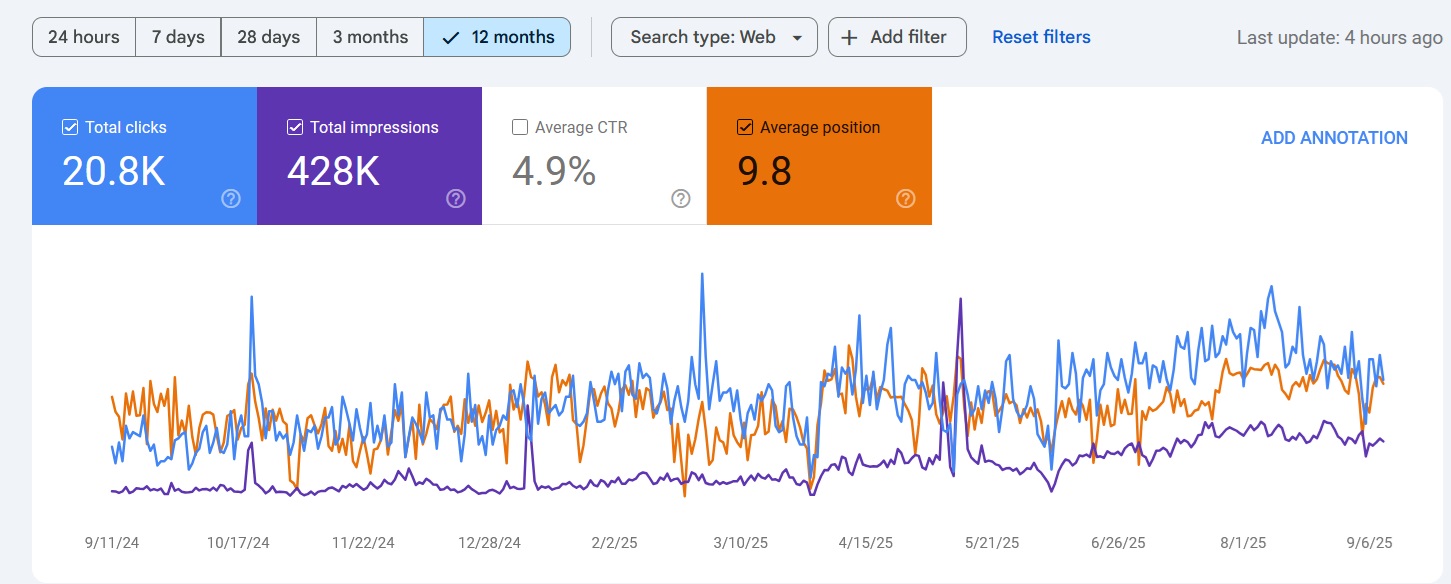
Map Pack Rankings
Ranked in Local Search Within 90 Days
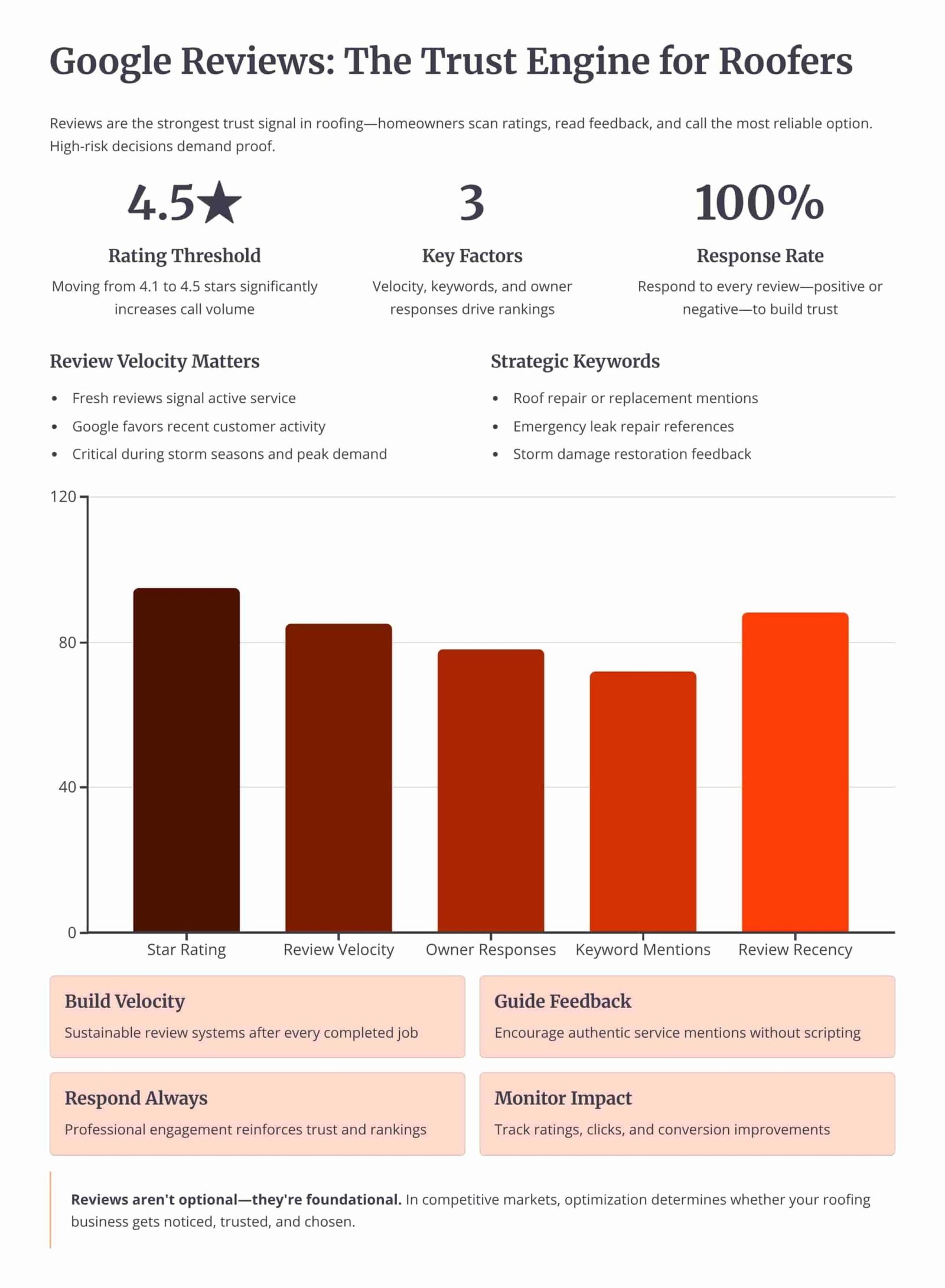
Review Velocity
150+ 5-Star Reviews Generated
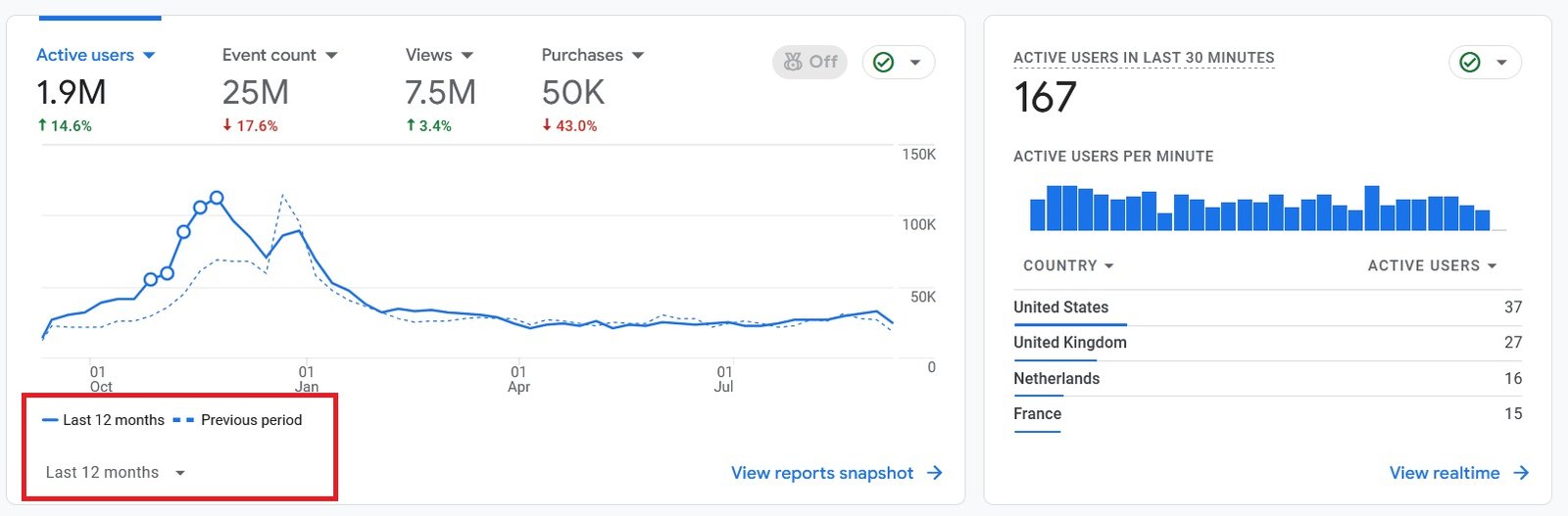
Organic Traffic
300% Increase in Qualified Traffic
What Roofers Say
The 180-Day Roofing SEO Roadmap
See how we reformat the content, build the pages, and earn local-pack rankings over a 6-month engagement.
Month 1: Mobile Audit and Reformat
- Layout Audit: Reviewing paragraph length, headings, lists, white space, and tap targets on every page.
- Contact Surfacing: Moving the phone number to the first screen and adding a sticky contact element.
Month 2: CTAs and Hierarchy
- CTA Placement: Setting an above-the-fold call to action, mid-content prompts, and a bottom-page conversion zone.
- Heading Structure: Breaking dense pages into scannable sections with clear H2 and H3 headings.
Month 4: Page Types and Speed
- Per-Type Layout: Tuning formatting for emergency, replacement, service-area, and material pages.
- Speed and Images: Compressing images and ordering content so the page loads fast on mobile data.
Month 6: Conversion and Leads
- Conversion Lift: Confirming mobile conversion rate rises toward the desktop rate on reformatted pages.
- Lead Tracking: Measuring calls and form fills by device against the cost of paid leads.
Owning Search Demand vs Renting It From Lead Platforms
If you pay Angi or Google Ads, you are renting visibility. The moment you stop paying, your pipeline dries up. Ranking the profile and the website for high-intent local searches builds permanent digital equity.
Shared Lead Platforms (Angi, HomeAdvisor)
- The Race to the Bottom: Shared leads force you to slash prices to win against 5 other roofers.
- Low Intent: Half the time they aren't ready to buy, they were just clicking around online.
Local Search SEO (Our Approach)
- 100% exclusive, direct-to-you inbound calls.
- Highest closing rate. They chose YOU from the local pack.
- Compounding ROI. You don't pay per click.
We Identify Search Intent Using Industry-Leading Data Tools




Expertise Built on Data.
Not Guesswork.
I'm Nizam Ud Deen, and I don't build generic websites. I build search intent engines specifically for the roofing industry.
For years, I've watched roofers burn money on agencies that brag about "traffic" while the phones stay silent. Traffic without intent is worthless. My system maps exactly how homeowners search during storms, when comparing prices, and when they're ready to buy, and intercepts them at every stage.
The No-Brainer Roofing SEO Guarantee
We don't guarantee "traffic" or "rankings." We guarantee high-intent leads.
"We guarantee to generate 15 exclusive, inbound replacement or repair leads per month within the first 180 days, driven entirely by high-intent organic search. If we don't hit that metric, we work for free until we do."
Measuring Success: Leads and Revenue
We don't report on vanity metrics. If traffic goes up but revenue stays flat, the strategy failed. We track the pipeline.
Call Tracking
Every keyword mapped to the exact phone call it generated.
Form Fills
Tracking estimate requests from high-intent local landing pages.
Booked Jobs
Connecting CRM data to SEO efforts to prove actual revenue return.
Cost per Lead
Monitoring organic CPL to ensure it beats shared platform costs.
The Mobile Content Formatting Checklist
Run each roofing page through this checklist to confirm the layout scans on a phone and surfaces the call.
Frequently Asked Questions
Clear answers about mobile content formatting for roofing websites.
What is mobile content formatting for a roofing website?
How is mobile formatting different from mobile-first indexing?
How long should a paragraph be on a mobile roofing page?
Where should the phone number sit on a mobile page?
Does mobile formatting affect roofing SEO rankings?
Why do homeowners scan instead of read on mobile?
How many calls to action should a mobile roofing page have?
What is the difference between an emergency page and a replacement page on mobile?
How should city names appear on a mobile service-area page?
Does mobile formatting help capture after-hours roofing calls?
What metrics show whether mobile formatting is working?
What are the most common mobile formatting mistakes roofers make?
Can reformatting existing content lift leads without writing new pages?
Should a roofer reformat content alone or use done-for-you on-page SEO?
Get Your Free Mobile Content Formatting Audit
We'll review how your pages format on a phone and compare them with your top 3 local competitors to show exactly where the layout loses calls.
What You Get:
- Layout and Hierarchy ReviewA check of paragraph length, headings, lists, and white space on key pages.
- CTA Placement MapWhere the phone number and calls to action sit relative to the first screen.
More Deliverables
- Tap Target and Speed CheckA scan of button sizes, horizontal scroll, and load speed on mobile data.
- Mobile Conversion ComparisonHow the mobile conversion rate compares with desktop and the local winner.
Claim your free mobile content formatting audit today. No commitment required.