
Roofing Location Pages: The On-Page Structure
Build the on-page template a location page needs so each city page ranks for local roofing searches and turns a near-me visitor into a call.
Free Roofing Location Page Audit
Most roofing location pages carry thin content and missing local proof. Get a free audit with a competitor comparison and a plan to make each city page rank.
What Is a Roofing Location Page?
A roofing location page is a single page on a roofing website built to rank for one service in one city, combining service intent with a geographic modifier.
Service Plus Geography
The page targets a phrase like "roof repair Fort Worth," pairing one service with one city, not a broad "roofing in Texas" page.
A Conversion Page
The page is a sales page, not a blog post. The structure leads a homeowner from local intent to a call or estimate request.
A Website Asset
The page ranks in organic results, separate from the map listing. See local SEO for roofers.
How Is a Location Page Different From a Service Page?
A location page differs from a service page because it adds a geographic modifier and local proof, while a service page describes one service for the whole site.
A Service Page Targets the Service
- A page on roofing service pages covers a service such as roof replacement across the site.
- It ranks for "roof replacement" without naming a city.
- One service page cannot rank in every city at once.
A Location Page Targets the City
- The page names the city in the title, heading, and body copy.
- It carries local landmarks, neighborhoods, and proof from that area.
- Homeowners search "roofer in Dallas," not "roofing in Texas," so the page matches that intent.
What On-Page Elements Does a Roofing Location Page Need?
A roofing location page needs 3 element groups working together: localized content, local trust signals, and clear conversion paths.
Localized Content
Unique copy naming the city, neighborhoods, local building codes, and the roof styles common to that area.
Local Trust Signals
Testimonials from customers in that city, project photos from local jobs, and a stated response time for emergencies.
Conversion Paths
A click-to-call number above the fold, a city-specific call to action, and an estimate form, all mobile-first.
Turn Each City Page Into a Lead Source
A location page built on this structure can earn rankings and calls in a city a single homepage never reached. We write and build the pages for you.
Call Now For PricingOr call +1 272-207-3231
How to Write the Localized Content?
Write unique copy for each city that names local detail, never a template with the city name swapped in. Identical content across cities reads as duplicate and rarely ranks.
Local Detail to Include
- Name neighborhoods, suburbs, and nearby landmarks in the city.
- Reference the local building codes and permit rules a roof job follows.
- Describe the roof styles and weather common to that area.
Avoid Thin and Templated Copy
A page of 200 to 300 generic words across every city fails. Write enough specific local detail that a reader in that city recognizes the area.
What Local Trust Signals Belong on the Page?
Place proof tied to the city: testimonials from local customers, photos from local jobs, and a clear emergency response time. Local trust signals are also ranking signals.
Proof That Names the City
- Reviews from homeowners in that city, with the area named in the text.
- Before-and-after photos from completed jobs in the area.
- A line on community involvement or a local project.
Why Local Proof Helps Rankings
Specific city proof tells a search engine the roofing company works in that area, and BrightLocal data suggests most consumers read reviews before choosing a local service.
How to Structure the Conversion Elements?
Treat the page as a sales page, so place a click-to-call number above the fold and a city-specific call to action on a mobile-first layout. A homeowner on a phone decides in seconds.
Conversion Elements to Place
- A prominent phone number with a click-to-call button above the fold.
- A call to action that names the city, such as "Get a Free Dallas Roof Estimate."
- An estimate form for visitors who prefer to type rather than call.
Build for the Phone First
A near-me roofing search often happens on a phone during a leak, so a fast, mobile-first layout with reachable contact options converts more of that traffic.
How Should Cost Content Fit the Page?
Add realistic local price ranges, not exact quotes, so the page answers a cost question and qualifies the lead early. Cost intent is high-intent.
How to Frame the Numbers
- Give price ranges that reflect the local market, not the national average.
- Explain the factors that move the price, such as roof size and material.
- Leave the exact figure to the estimate, so the call still happens.
Link to the Cost Page
A location page can summarize cost and link to the deeper roofing cost pages for the full breakdown.
How to Map Service and Geography?
Build one page per service per city, not one broad page per city, so each page matches a single search. A city has several services and several intents.
The Service-Plus-Geography Matrix
- Pair each core service with each target city, so "roof repair Plano" and "roof replacement Plano" stay separate.
- Each page answers one query rather than splitting attention across many.
- A broad "roofing in Texas" page never ranks against city-level pages.
Match the Search, Not the Map
Homeowners search by service and city, so a page that names both reaches a query a state-wide page misses.
How to Link Location Pages Internally?
Connect each location page to its parent service page and to nearby city pages with descriptive anchor text. Internal links pass relevance and help a search engine map the structure.
The Linking Pattern
- Link each location page up to the matching service page.
- Link nearby city pages to each other in a logical group.
- Use anchor text that names the service and city, not "click here."
Keep the Links Working
A broken internal link wastes the relevance the structure is meant to pass, so audit the links as the page count grows.
Location Pages Are an Asset You Own
A ranked city page keeps producing calls long after the work is done, unlike a paid ad that stops the moment the budget runs out. Build the asset instead of renting clicks.
Call Now For PricingOr call +1 272-207-3231
How to Scale Location Pages Without Thin Content?
Scale in phases, starting with 3 to 5 primary service areas, so quality holds as the page count grows. Building 30 or 50 thin pages at once produces duplicate-content drag.
A Phased Rollout
- Phase 1: primary services in the 3 to 5 main cities.
- Phase 2: secondary services in those same cities.
- Phase 3 and 4: primary then full services across secondary cities.
Quality Over Volume
A full rollout can run 6 months to 2 years. Each page earns unique content and local proof before the next batch begins.
Common Roofing Location Page Mistakes
Roofing location pages lose rankings through recurring on-page mistakes, each one fixable in the page itself.
Content and Proof Errors
- Identical content across every city page.
- No local proof, photos, or area references.
- Thin pages of 200 to 300 generic words.
Structure and Conversion Errors
- Missing or buried conversion elements.
- Keyword stuffing the city name unnaturally.
- Broken internal links and a weak linking structure.
How Do Location Pages Relate to the Google Business Profile?
Location pages and the profile work as two surfaces: the page ranks in organic results while the profile ranks in the map pack. The on-page template here is the website half.
Two Surfaces, One Goal
- The location page reinforces the cities the profile claims.
- The profile ranks in the local pack for near-me searches.
- Consistent city names across both strengthen the local signal.
The Local-SEO Method Is Separate
For the local-SEO method of building city pages, see city-based roofing pages. This page covers only the on-page template.
Proof of Performance
Results from roofing campaigns that rank in local search.
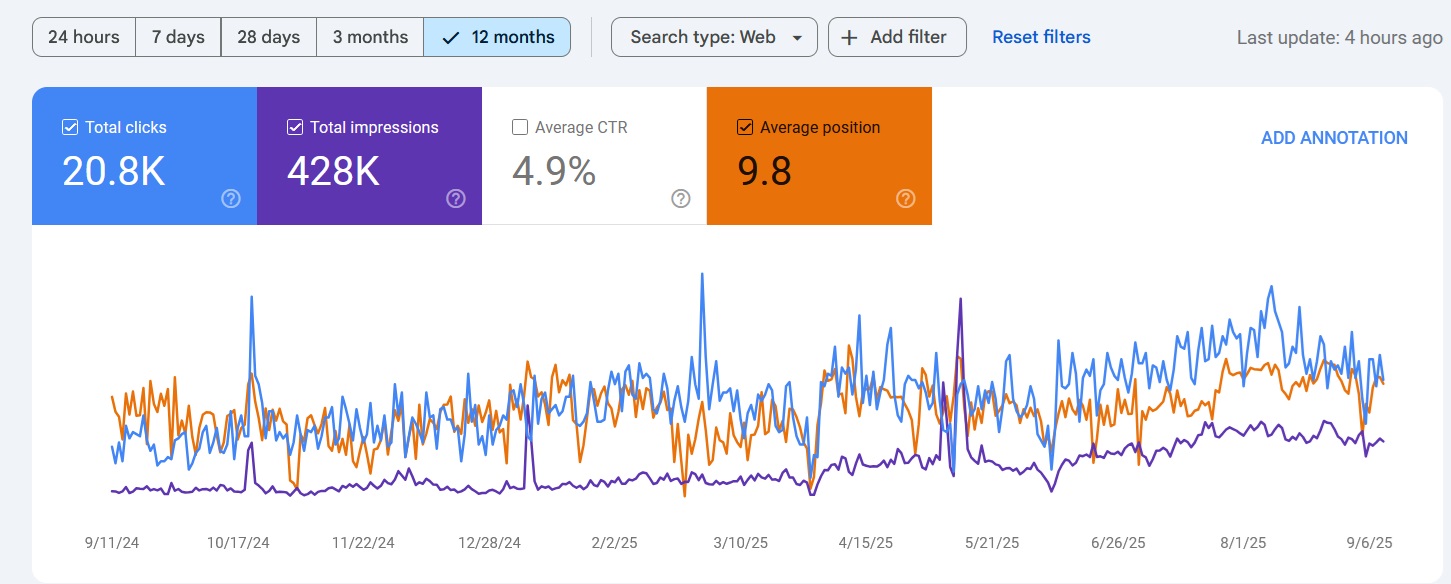
Map Pack Rankings
Ranked in Local Search Within 90 Days
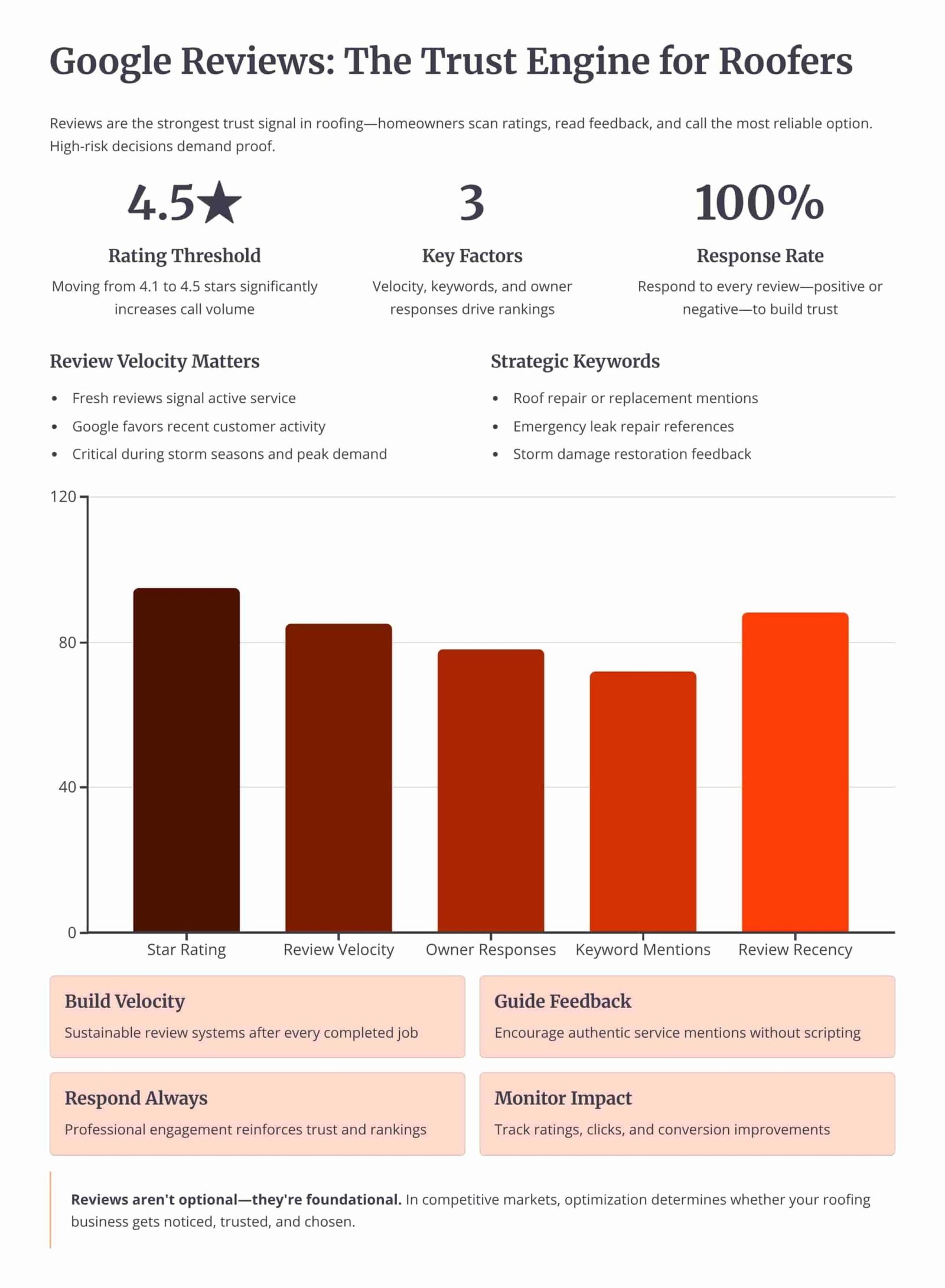
Review Velocity
150+ 5-Star Reviews Generated
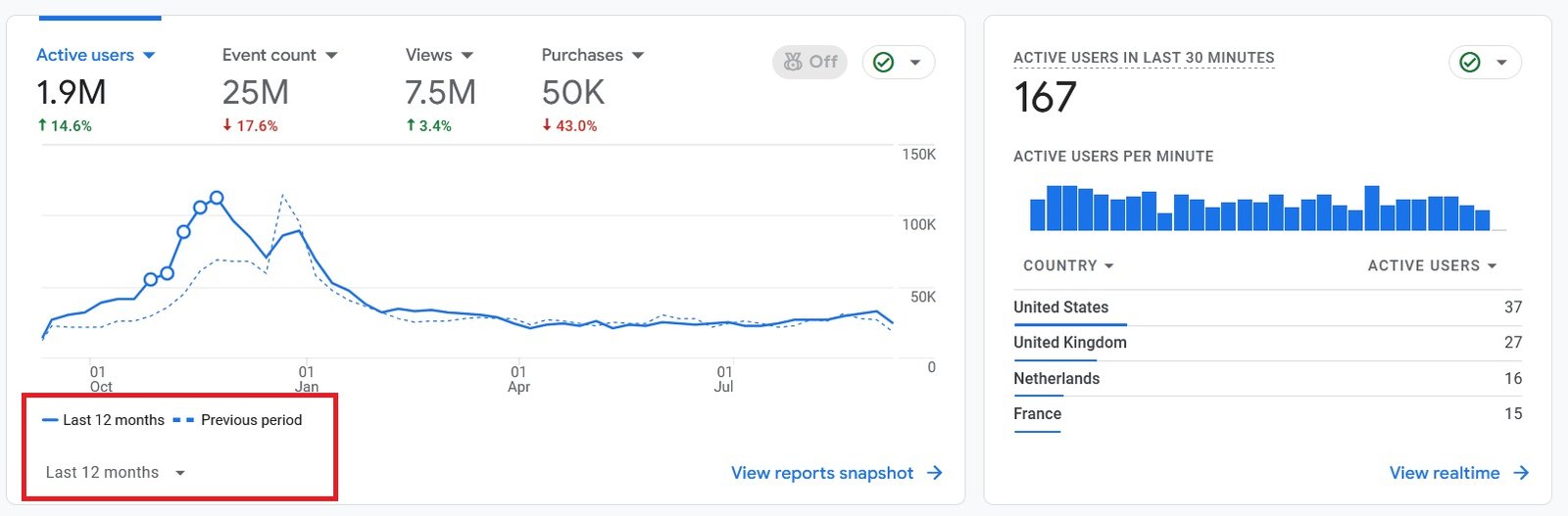
Organic Traffic
300% Increase in Qualified Traffic
What Roofers Say
The 180-Day Roofing SEO Roadmap
See how we build the location pages, earn rankings, and convert local searches into leads over a 6-month engagement.
Month 1: Mapping and Page Plan
- Service-City Matrix: Mapping each core service to the 3 to 5 primary cities and prioritizing the first batch of pages.
- Local Research: Collecting neighborhoods, building codes, and roof styles to give each page unique local detail.
Month 2: Build the Primary Pages
- Localized Content: Writing unique copy and adding local proof, photos, and reviews to each primary city page.
- Conversion Layout: Placing click-to-call, city-specific CTAs, and an estimate form on a mobile-first layout.
Month 4: Internal Links and Scaling
- Linking Structure: Connecting each location page to its service page and to nearby city pages with descriptive anchors.
- Secondary Pages: Adding secondary services and secondary cities in phases as quality holds.
Month 6: Rankings and Leads
- City-Level Rankings: Earning organic positions for the service-plus-city queries the pages target.
- Lead Tracking: Measuring calls and estimate requests from each location page against the cost of paid leads.
Owning Search Demand vs Renting It From Lead Platforms
If you pay Angi or Google Ads, you are renting visibility. The moment you stop paying, your pipeline dries up. Ranking the profile and the website for high-intent local searches builds permanent digital equity.
Shared Lead Platforms (Angi, HomeAdvisor)
- The Race to the Bottom: Shared leads force you to slash prices to win against 5 other roofers.
- Low Intent: Half the time they aren't ready to buy, they were just clicking around online.
Local Search SEO (Our Approach)
- 100% exclusive, direct-to-you inbound calls.
- Highest closing rate. They chose YOU from the local pack.
- Compounding ROI. You don't pay per click.
We Identify Search Intent Using Industry-Leading Data Tools




Expertise Built on Data.
Not Guesswork.
I'm Nizam Ud Deen, and I don't build generic websites. I build search intent engines specifically for the roofing industry.
For years, I've watched roofers burn money on agencies that brag about "traffic" while the phones stay silent. Traffic without intent is worthless. My system maps exactly how homeowners search during storms, when comparing prices, and when they're ready to buy, and intercepts them at every stage.
The No-Brainer Roofing SEO Guarantee
We don't guarantee "traffic" or "rankings." We guarantee high-intent leads.
"We guarantee to generate 15 exclusive, inbound replacement or repair leads per month within the first 180 days, driven entirely by high-intent organic search. If we don't hit that metric, we work for free until we do."
Measuring Success: Leads and Revenue
We don't report on vanity metrics. If traffic goes up but revenue stays flat, the strategy failed. We track the pipeline.
Call Tracking
Every keyword mapped to the exact phone call it generated.
Form Fills
Tracking estimate requests from high-intent local landing pages.
Booked Jobs
Connecting CRM data to SEO efforts to prove actual revenue return.
Cost per Lead
Monitoring organic CPL to ensure it beats shared platform costs.
The Roofing Location Page Checklist
Run each city page through this checklist to confirm the content, proof, and conversion paths are in place.
Frequently Asked Questions
Clear answers about the on-page structure of roofing location pages.
What is a roofing location page?
How is a location page different from a service page?
What on-page elements does a location page need?
Why does a broad "roofing in Texas" page fail to rank?
How much unique content does each city page need?
How many location pages should a roofer build?
Should I build one page per city or one page per service per city?
What conversion elements belong on a location page?
Do reviews and photos belong on a location page?
Should a location page include cost information?
How should location pages be linked internally?
How do location pages relate to the Google Business Profile?
Is a location page the same as a city-based roofing page in local SEO?
What are the most common location page mistakes?
Get Your Free Roofing Location Page Audit
We'll review your current location pages and your top 3 local competitors to show you exactly where each city page loses rankings and leads.
What You Get:
- Content Uniqueness ReviewA check for duplicate or thin copy across your city pages.
- Local Proof AuditWhether each page carries city-specific reviews and photos.
More Deliverables
- Conversion Path CheckA review of click-to-call placement and city-specific calls to action.
- Internal Link MapHow your location pages link to service pages and nearby cities.
Claim your free roofing location page audit today. No commitment required.