
Roofing Local SEO
Embedded Google Maps for Roofing Websites
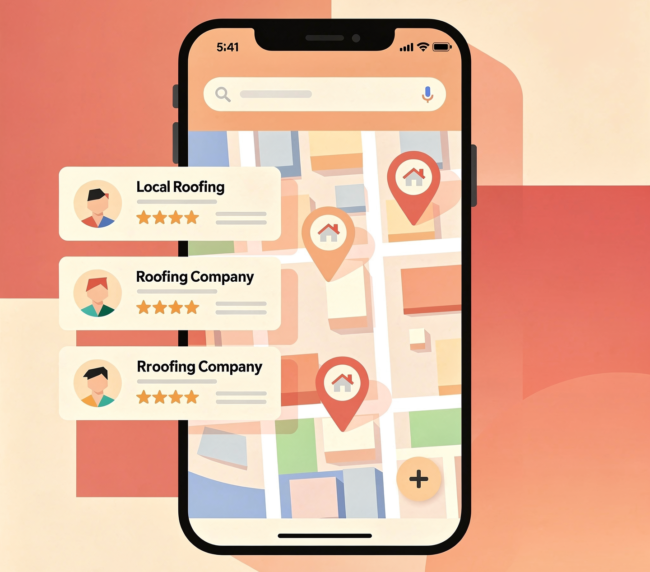
An embedded Google Map is a live map iframe placed on a roofing website that shows the verified location and service area, confirming to a homeowner that the company is real and nearby.
Roofing-exclusive SEO | map embeds tied to the profile
Free Embedded Map Audit
Most roofing sites place the map on the wrong page or point it at a mismatched address. Get a free audit of where the map sits, whether it matches the profile, and how to use it to convert near-me visitors.
What Is an Embedded Google Map on a Roofing Website?
An embedded Google Map is a live, interactive map placed on a roofing website through an iframe code copied from Google Maps.
An On-Page Element
The map sits inside a web page, separate from the Google Business Profile. A homeowner reads, scrolls, and interacts with it on the roofing site itself.
Copied From Google
The embed code comes directly from Google Maps, not a third-party service, so the location data ties to the same place Google already indexes.
A Trust Signal, Not a Ranking Hack
The map reassures a homeowner and reinforces location context. It supports the wider local SEO for roofers effort rather than replacing it.
Why Do Embedded Maps Matter for Roofing Websites?
Embedded maps matter because roofing is a high-trust purchase, and a homeowner needs visual proof the company is local before requesting an estimate.
A Roofer Faces a Trust Gap
- A roof costs thousands and invites a crew onto the home, so a homeowner checks legitimacy before calling.
- A map showing the company near the searcher answers the "are they local" question at a glance.
- The signal supports the experience and trust factors search engines weigh for local results.
Maps Reinforce Proximity
- Proximity is one of the 3 local ranking factors Google states in its local guidance.
- The on-page map confirms for a homeowner what the profile shows in the Google Business Profile.
- Consistent location data across the site and profile reinforces a single, real business.
How Do Embedded Maps Turn Visitors Into Calls?
An embedded map converts because it lowers decision friction and gives a homeowner one tap to directions or a call. A map paired with the phone number and a clear request-estimate button shortens the path from visit to contact.
The Map Holds Attention
- An interactive element invites a homeowner to pan and zoom, which adds time on the page.
- Longer, active sessions can lift the engagement signals search engines read.
- The visual reassurance reduces the urge to leave and compare another contractor.
Maps Drive Direct Action
On a phone, a tap on the embedded map opens directions or the Maps app. Place a call button and a request-estimate form beside the map so the homeowner acts in the same view.
Turn Local Searches Into Booked Roofing Jobs
A map embed is one piece. We align the website, the profile, and the citations so near-me searches reach the phone. We build and manage the local-search system for you.
Call Now For PricingOr call +1 272-207-3231
Where Should a Roofer Place an Embedded Map?
Place the map on pages that carry local intent: the contact page, service-area pages, and location pages. Strategic placement, not a map on every page, is what reinforces local relevance.
Pages Where a Map Earns Its Place
- The contact page, beside the full name, address, phone, and hours.
- A service-area page for each city the roofing company serves.
- A location page for each office a multi-location roofer runs.
- The emergency-services page, where a storm search needs fast reassurance.
Match the Map to the City
On a city roofing page, center the map on that city in relation to the company. A generic map repeated on every page weakens the local signal it should send.
How Does an Embedded Map Support Service-Area SEO?
An embedded map supports service-area SEO by giving each city page visual context for the area the roofing company covers. The map pairs with location-specific text rather than standing alone.
Pair the Map With Context
- Write the city name, the neighborhoods served, and the local roofing concerns around the map.
- Name nearby landmarks so the page reads as written for that area.
- Add a call button and a request-estimate link in the same section.
One Map per Area Page
A service-area page centered on its own city sends a clearer signal than the same map cloned site-wide. See service-area optimization for the wider page structure.
How to Implement an Embedded Map Correctly?
Implement the map by copying the embed code from Google Maps, aligning it to the verified address, and pairing it with LocalBusiness schema. Correct implementation keeps the location data consistent for search engines.
Use Google's Embed Code
Copy the iframe from the Share then Embed option in Google Maps. Avoid third-party map widgets, which can break entity recognition.
Add LocalBusiness Schema
Mark up the location, service area, and contact data with LocalBusiness structured data so search engines read the map context, not just the picture.
Keep It Mobile-Responsive
Most roofing searches happen on phones, so the map should resize cleanly on a smartphone and load without slowing the page.
Why Does Entity Consistency and NAP Alignment Matter?
Entity consistency matters because the location in the map must match the Google Business Profile address exactly, down to the suite number and ZIP format. A mismatch creates a NAP inconsistency that weakens trust.
Match the Map to the Profile
- The pin and address in the embed should equal the profile address character for character.
- An outdated or wrong address in the map sends a conflicting location signal.
- Consistent data reads as one real business across the site, the profile, and the map.
Align With Wider NAP Work
The map is one more place the name, address, and phone appear, so it belongs in the same audit as the footer and directories. See NAP consistency for roofers.
A Map Embed Works Best Inside a Local System
On its own, a map is a trust signal. Tied to a ranked profile and consistent citations, it sits inside a system that turns near-me searches into exclusive calls you keep instead of rent.
Call Now For PricingOr call +1 272-207-3231
Common Embedded Map Mistakes Roofers Make
Roofing sites lose the value of a map through 4 recurring embedded-map mistakes, each one fixable on the page.
Placement and Data Errors
- Dropping a map with no surrounding location text or call to action.
- Pointing the map at an outdated or wrong address that conflicts with the profile.
- Using a third-party map widget instead of Google's own embed code.
Overuse Dilutes the Signal
Embedding the same map on every page on the theory that more is better clutters the experience and weakens the local relevance the map should reinforce.
From the Case Studies
Results You Can Verify
No stock photos and no first names without a company. Numbers from named clients, with the charts published.
A brand-new roofing company taken from zero to 9.61K Google impressions in its first 2 months.
Alpha Holistic Roofing
Launch-phase local SEO
Read the case studyA site that flatlined at zero impressions for two months, standing back up at 18.6K impressions in six.
RoofingPros Milwaukee
Recovery and rebuild
Read the case studyThe Embedded Google Map Checklist
Run the roofing website's map embed through this checklist to confirm it builds trust, matches the profile, and converts near-me visitors.
Used the embed code copied from Google Maps?
Matched the map address to the profile exactly?
Placed the map on contact and service-area pages?
Paired the map with location text and a call to action?
Added LocalBusiness schema for the location?
Confirmed the map resizes cleanly on mobile?
Centered each city page's map on that city?
Avoided cloning one map across every page?
Frequently Asked Questions
Clear answers about embedding a Google Map on a roofing website.
What is an embedded Google Map?
An embedded Google Map is a live, interactive map placed on a website through an iframe code copied from Google Maps. On a roofing site it shows the verified location and the area the company serves.
Does embedding a Google Map help SEO?
A map does not rank a page on its own. It reinforces location context, supports trust signals, and lifts engagement, which support the wider local SEO effort rather than acting as a direct ranking factor.
Should a roofer embed a map on every page?
No. Not every page needs a map. Strategic placement means putting a map where it reinforces local intent, such as the contact page and each service-area page, rather than cloning one map site-wide.
Where should a roofer place an embedded map?
Place the map on pages with local intent: the contact page, a service-area page for each city, location pages for multiple offices, and the emergency-services page where a storm search needs fast reassurance.
How do I embed a Google Map on a roofing website?
Open Google Maps, find the verified business location, choose Share then Embed a map, copy the iframe code, and paste it into the page. Then add LocalBusiness schema and surrounding location text.
Should the map address match the Google Business Profile?
Yes. The location in the map must match the profile address exactly, down to the suite number and ZIP format. A mismatch creates a NAP inconsistency that weakens the trust signal across the site and profile.
Should I use the Google Maps iframe or the Maps API?
For most roofing sites the free iframe embed from Google Maps is enough and needs no API key. The Maps API suits custom interactive maps. Either way, the embed should come from Google, not a third-party widget.
Does an embedded map slow a roofing website down?
A map iframe can add load time if it renders immediately. Loading the map only when it scrolls into view keeps the page fast on the phones where most roofing searches happen.
Do I need LocalBusiness schema with an embedded map?
A map is a picture to a search engine on its own. Pairing it with LocalBusiness schema provides structured data about the location, service area, and contact details so the context is machine-readable.
How does an embedded map support service-area pages?
A map on a city page gives visual context for the area served when paired with location text, neighborhoods, and a call to action. See service-area optimization.
What is the difference between an embedded map and the Google Business Profile?
The map is an on-page element on the website. The Google Business Profile is the listing that ranks in the map pack. The embedded map echoes the profile location on the site.
Does an embedded map help a roofing company rank in Google Maps?
Map Pack ranking comes from the profile, reviews, citations, and proximity, not from an on-page embed. The embed reinforces location consistency. See the Google Maps ranking guide.
What are common embedded map mistakes roofers make?
Common mistakes are pointing the map at a wrong address, using a third-party widget instead of Google's embed, dropping a map with no surrounding text or call to action, and cloning one map on every page.
Get Your Free Embedded Map and Local SEO Audit
We'll review where the map sits, whether it matches your profile, and how your top 3 local competitors use location signals on their sites.
What You Get:
- Map Placement ReviewA check of where the map sits and whether it pairs with location text and a call to action.
- Map-Pack Visibility ScoreWhere the profile ranks for near-me searches across the service area.
More Deliverables
- NAP Consistency CheckA scan of the name, address, and phone across the website, the map, and directories.
- Schema and Mobile ReviewWhether LocalBusiness schema is present and the map resizes cleanly on phones.
Claim your free embedded map and local SEO audit today. No commitment required.